
Public experience
Responsive service pages, local SEO, clear calls to action, listings, resources and customer-facing workflows that make sense on a phone.
Strong interfaces are only useful when the workflow behind them is equally clear. This work focuses on public websites, staff dashboards, scheduling systems, listings, resource hubs and the operational tools businesses actually use every day.

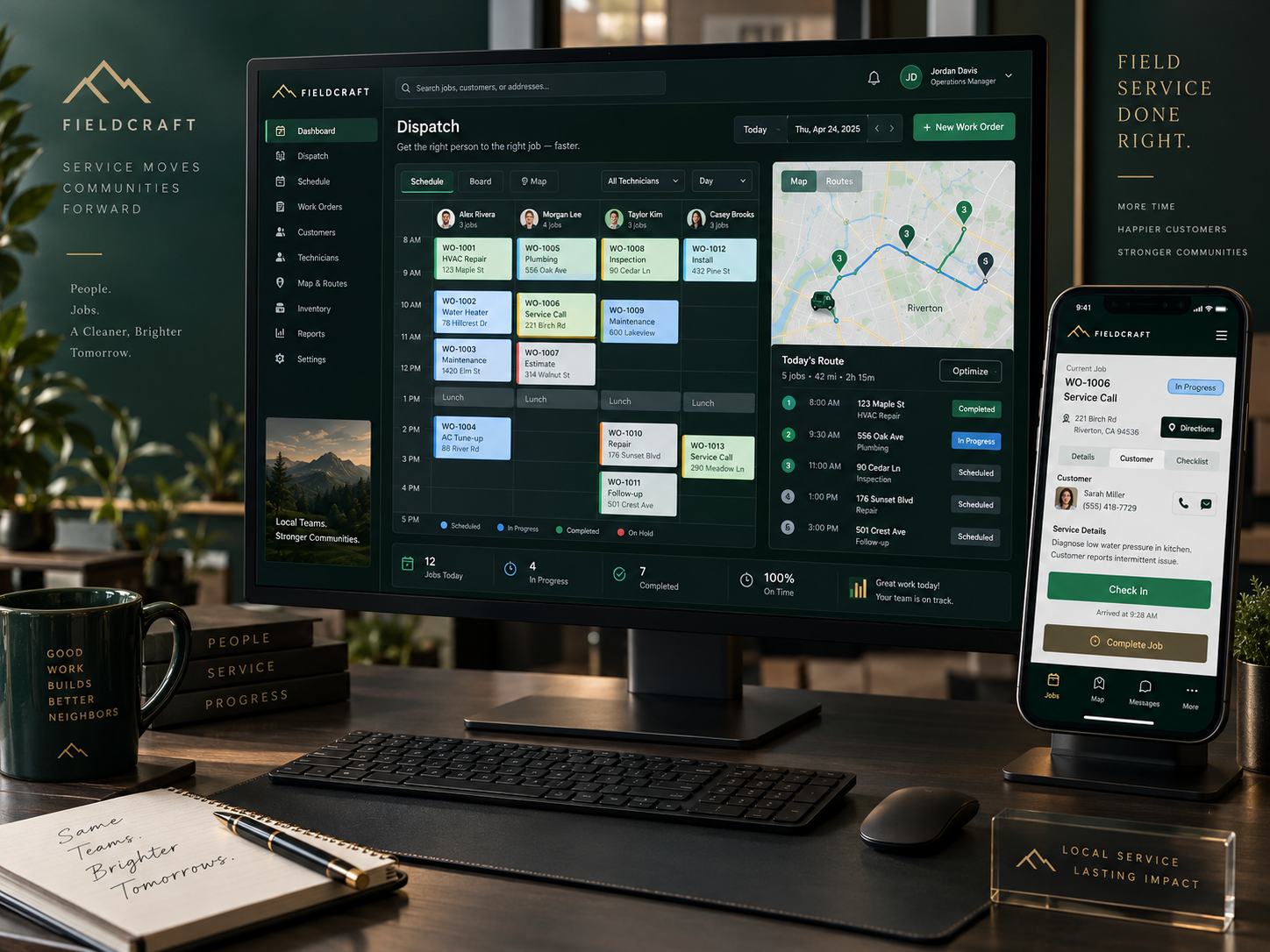
A field-service business may need much more than a brochure website. This concept shows how an office dispatcher, technician schedule, route map, customer information and mobile worker interface can live inside one coordinated browser-based product.
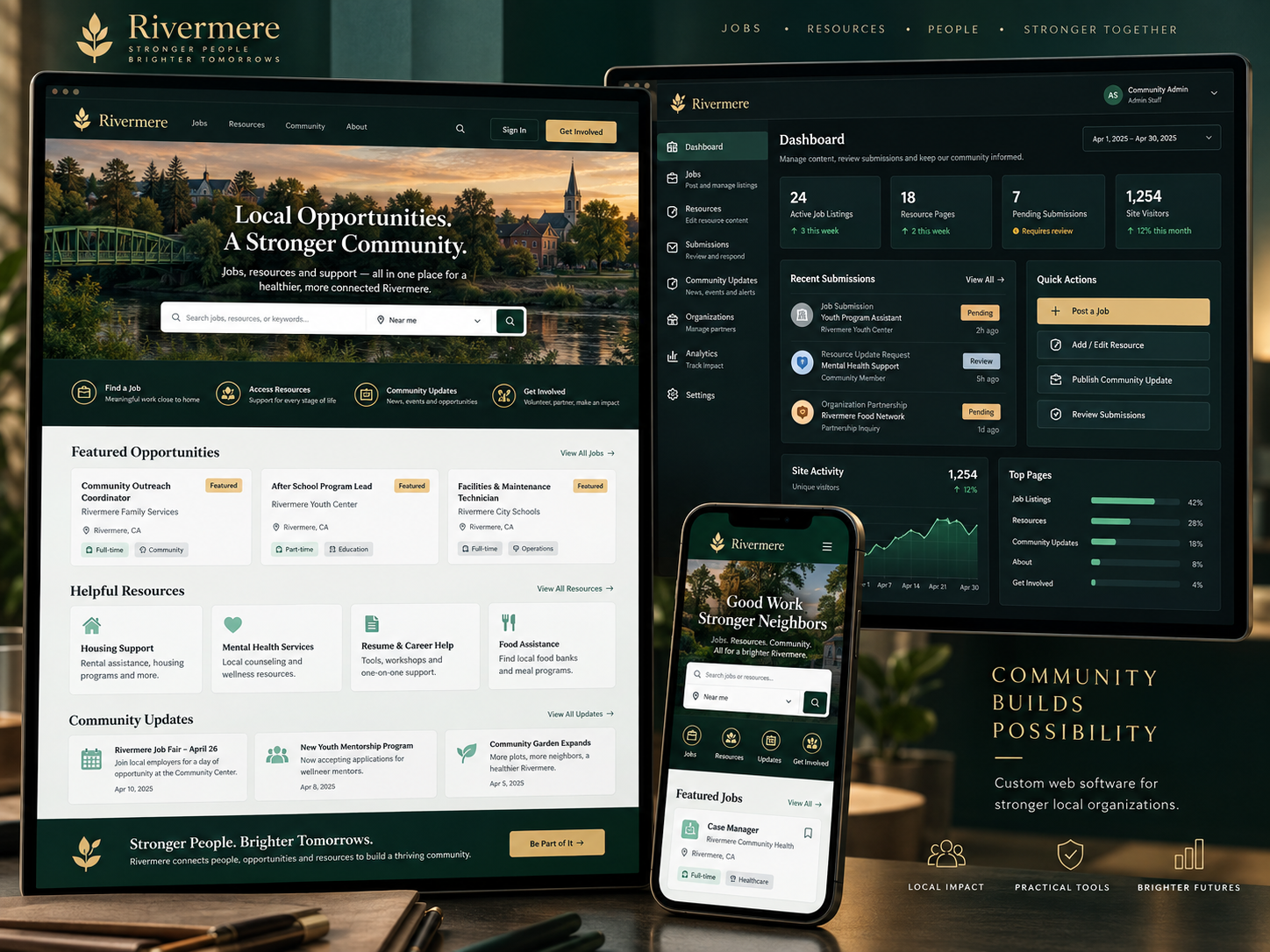
This concept pairs the public experience with the administrative tools that keep it accurate: job listings, resource pages, community updates, submissions and simple analytics. Visitors see a clean mobile-friendly site; staff sees the controls required to run it.
A polished website is only one layer. When the business needs real functionality, the same design language can extend into dashboards, internal tools, listings and data-management screens without feeling like unrelated software.
Responsive service pages, local SEO, clear calls to action, listings, resources and customer-facing workflows that make sense on a phone.
Purpose-built screens for editing content, posting opportunities, changing status, managing records and keeping the public site current.
Structured information and clear rules so the public UI, staff UI and backend state stay consistent instead of becoming separate piles of data.

Whether the project is a local service website or a custom operations tool, the process starts with the same questions: who uses it, what do they need to accomplish, what information changes, and who is responsible for keeping it accurate?
The examples above demonstrate the kinds of operational interfaces, public sites and admin workflows Data Architect can design and develop around a real organization.