
The best web designer for your Big Bear Lake business is the one who can connect a distinctive website to the way you actually work—and make the finished system manageable after launch.
This is a buyer’s guide, not a ranked directory. Use the working examples, payment comparison and local design study below to evaluate The Data Architect alongside any other developer you are considering.
Event information that remains clear when plans change
For a Big Bear Lake venue or experience business, compare how a designer presents a dated activity rather than just the brand. Visitors need to distinguish the event date, start time, arrival guidance and booking status. An elegant first impression should lead into those practical answers.
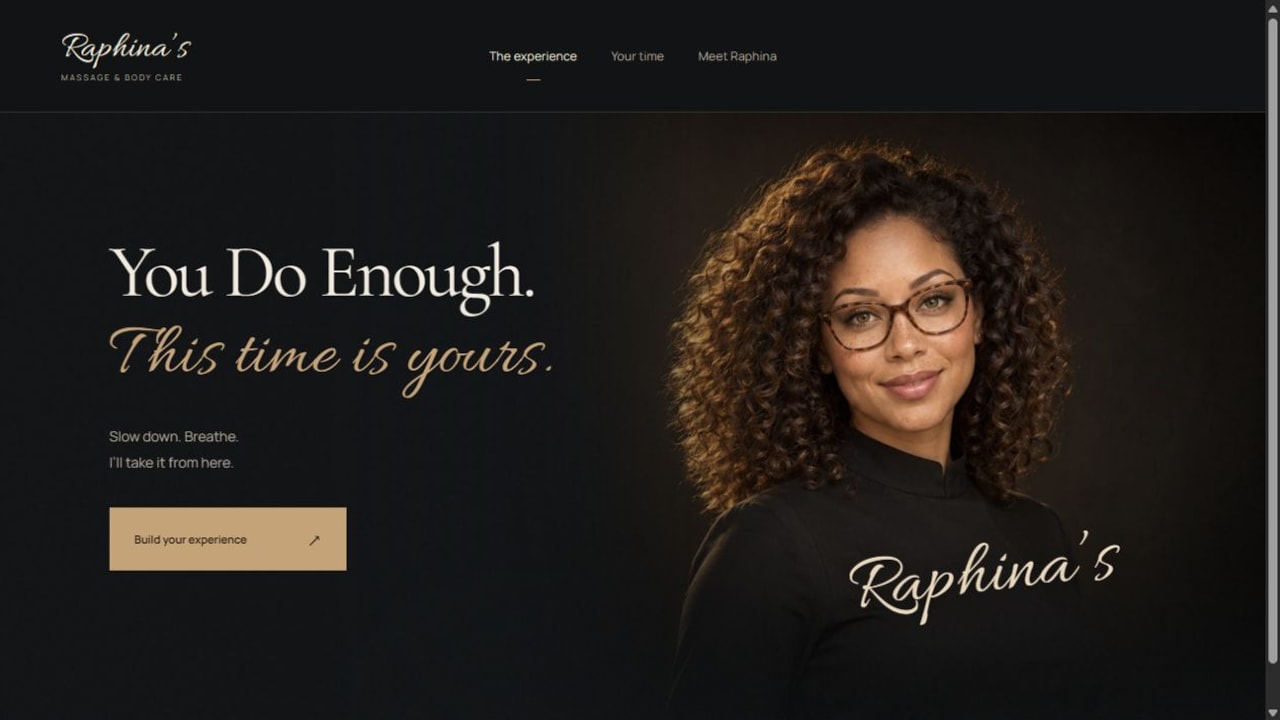
The portrait, quiet dark palette and deliberate type hierarchy give the business a distinct voice. Services and booking remain visible, so atmosphere does not replace the practical steps a visitor needs. This example illustrates our design and implementation work; it is not a claim about a Big Bear Lake client’s results.
What should you be able to manage?
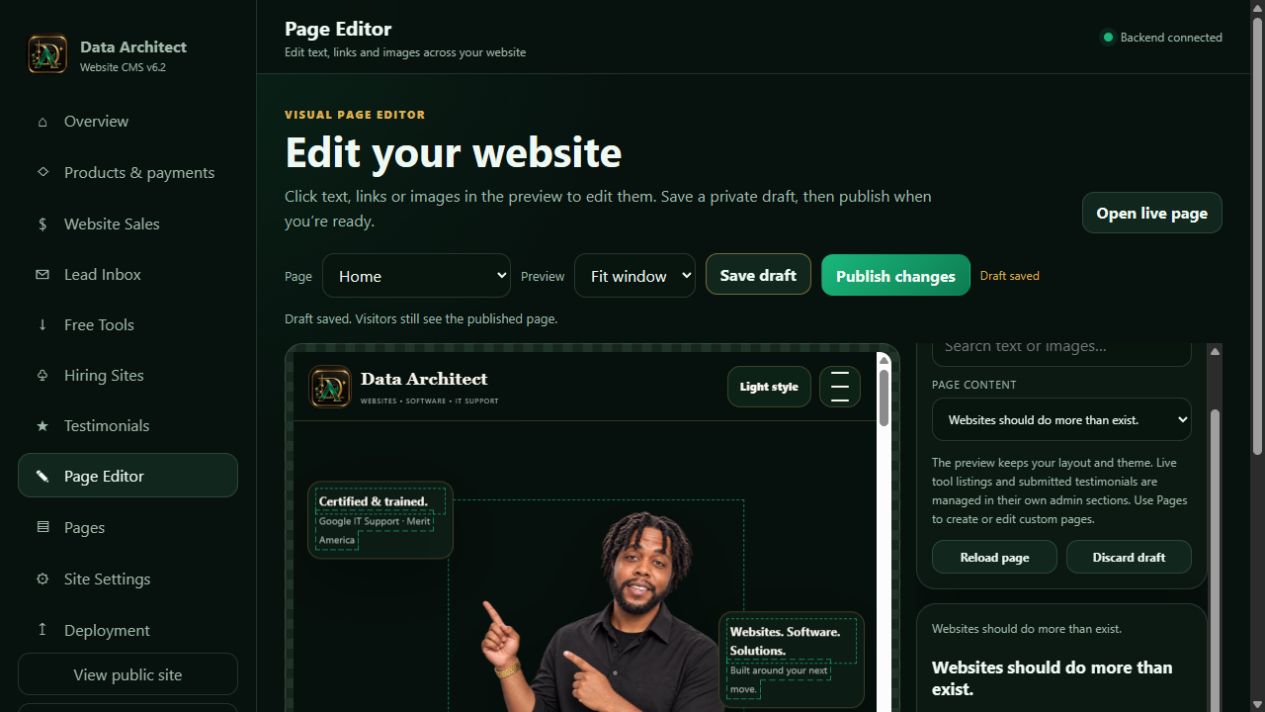
A CMS (content management system) is the software used to edit website content. A CRM (customer relationship management system) keeps contacts, inquiries and follow-up organized. Ask to see the actual owner workflow, then specify which functions your proposal includes.
Ask for editable event details with a clear distinction between draft, published, canceled and past events. The owner should be able to correct a time without leaving a contradictory copy elsewhere on the site.
For inquiries, confirm who receives the message, which service or item is attached, how staff record progress and how records can be exported. Public page editing and access to customer information should have appropriate permissions.
See our content editing interface
When the website becomes business software
Ticket inventory and attendee records introduce a different scope from an event inquiry. Establish how confirmation, cancellation and duplicate submissions are handled before paying for a booking feature.
B2B means business-to-business. Trade quotes, customer accounts, approval steps and integrations can require more than a public website. Have the developer document the records, user permissions, notifications and failure handling before quoting that work. Explore our B2B services and custom business software.
Compare the complete price
Our business website service is $1,500 per year for the agreed website scope, managed hosting and ordinary ongoing care. Here are the available payment arrangements for that same annual total:
Pay in full
$1,500 for the service year.
Split the launch
$750 to begin and $750 before launch.
Spread the payments
$300 initial deposit, then 12 × $100. The first monthly payment is due 30 days after the deposit.
The service year starts at launch; the installment schedule ends after the agreed payments. The annual price averages $125 a month, which is a cost comparison—not a separate monthly subscription offer. Domain registration and renewal are separate. Custom software, substantial integrations and ongoing content campaigns need their own written scope; enterprise projects start at $7,500.
Before comparing agencies, ask for the first-year total, renewal terms, editing access, included support and charges for extra work. Read our current service and payment terms or compare broader development budgets and what affects them.
Look beyond a polished homepage
- Design quality: consistent spacing, readable typography and useful page hierarchy. Test the mobile menu, forms and text at larger sizes; nothing should overlap, disappear or trap the visitor.
- Technical competence: request a working example of the workflow you need, a realistic testing plan and a clear explanation of hosting, backups and access.
- Credentials and accountability: verify training, ask who will build and maintain the site, and confirm who owns the domain, content and business records. Our about page links Shayne Brown’s training and credential information; evaluate that alongside the working portfolio.
- Owner coordination: agree who supplies accurate services, prices, images and policies, who approves the pages and what must pass before launch.
Our reusable web infrastructure reduces repeated setup for common publishing and management tasks. It still needs a design suited to your business and testing against your actual requirements. Ask any provider how shared components are maintained, what can be exported and what happens if you change providers.
BEFORE YOU SIGN OFF
One practical test for this project
Change an event time in a working review version, then check its card, detail page and inquiry summary. Cancel the event and verify that the page explains the change while preventing new requests that would mislead visitors.
Run it with the owner and developer together. Record what happens, who owns any fixes and when you will retest. That is a more useful acceptance standard than simply agreeing that the homepage looks finished.
LOCAL DESIGN STUDY
The Screen Went Dark in 1974: Imagining a New Big Bear Lake Movie Night Online
The following independently researched study provides the local context behind this guide. Its proposed business and interface are a concept, with the original sources and limitations retained below.
Pinebeam Picture Nights would be my fictional answer to a simple question: what would someone need to know before committing an evening to an outdoor movie in Big Bear Lake? I would begin with the screening itself, not the poster. The date, arrival time, accessibility and cancellation conditions determine whether the visit is workable. A beautiful visual would introduce the atmosphere, while a complete event page would let a person actually make a plan.
This is an independent educational study, not a client project or reopening announcement. The concept below is fictional. It shows proposed work, not measured business results.
The part we can put on the record
Local history reporting places the Lake Drive-In at 39515 Big Bear Boulevard in Big Bear Lake and dates its closure to 1974. Earle C. Strebe Theatres: Palm Trees to Pines.
The historical subject is the Lake Drive-In in Big Bear Lake, distinct from the Peter Pan Woodland Drive-In in Big Bear City. Pinebeam Picture Nights is a fictional design exercise with no proposed use of the historic property. Historical reference: 1974.
A closure or change of use does not tell us whether a website was good or bad. I am not attributing this history to SEO or claiming a different site would have changed it. The useful exercise is to take a customer task from this type of business and work through a fresh design.
The question I would design around
I would give every sample screening its own page with the film, date and ticket state clearly connected. A sold-out demonstration would look different from a canceled one. If a date moved, the page would explain the change rather than silently replacing the information. The ticket exercise would remain visibly hypothetical, with no payment collection. I would also show how an old event becomes an archive entry instead of appearing to be next weekend's screening.
The proposed feature: A hypothetical outdoor-film calendar with individual screening pages, accessibility information and a demonstration ticket-selection flow.
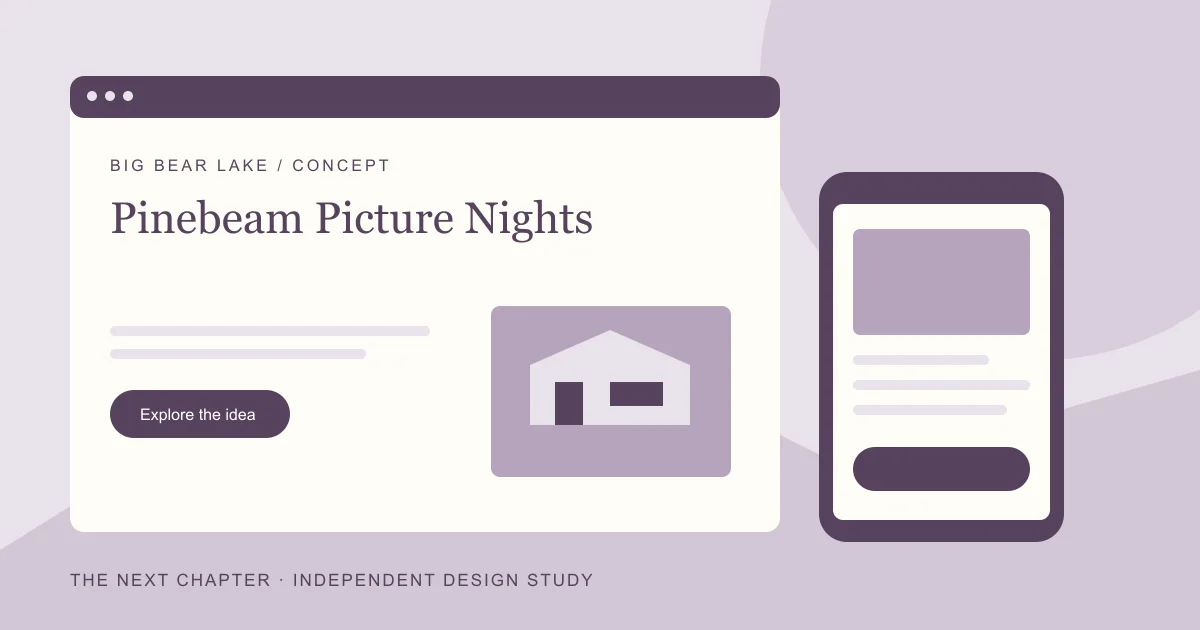
EXPLORE THE WEBSITE CONCEPT
Pinebeam Picture Nights
A proposed digital front door built around a customer task in Big Bear Lake.
Seasonal event websites need date-specific information and clear cancellation conditions; a compelling image cannot replace a usable event page.
The opening screen would identify the offer, its real location or service area, and the action a customer can actually take. Any hours, prices, availability, or promises would come from the owner before launch.
See how I would check it ↓A hypothetical outdoor-film calendar with individual screening pages, accessibility information and a demonstration ticket-selection flow.
Give the customer a clear route into this task, explain what is needed, and confirm what happened. A request must never look like a confirmed purchase, appointment, or reservation when it is only an inquiry.
See where it fits in the launch week ↓What would tell us it is useful?
Validate event dates and expired-event behavior, then test whether visitors can select the intended screening without booking the wrong date.
This is a measurement plan. No traffic, ranking, sales, or conversion results have been collected for this fictional concept.
The first seven days, with a defined finish line
I would scope the first release around the customer task above. The schedule assumes the owner has supplied accurate content, approved the offer, and provided the access needed to launch. Custom integrations or a complex application need their own estimate.
- Day 1 · Establish the facts. Confirm the new concept's offer and audience in Big Bear Lake. Collect permission to use its photos and wording. Keep the historical business separate from the new brand.
- Day 2 · Map the decision. Turn the design question into an outline: Seasonal event websites need date-specific information and clear cancellation conditions; a compelling image cannot replace a usable event page. Identify what the visitor needs before they act.
- Day 3 · Build the essential pages. Draft a useful home page, an offer or service page, and contact information. Show the Pinebeam Picture Nights identity consistently, with a readable mobile layout.
- Day 4 · Make the task understandable. Prototype and test the proposed feature: A hypothetical outdoor-film calendar with individual screening pages, accessibility information and a demonstration ticket-selection flow. Use clear instructions, validation, and an honest completion state.
- Day 5 · Check the basics. Test keyboard use, labels, readable text, image sizes, working links, and a phone-sized screen. Check page titles, canonicals, and crawlable navigation.
- Day 6 · Introduce the real site to Google. Verify the appropriate Search Console property, check the sitemap, and inspect an important URL. Requesting a crawl is not a guarantee of indexing.
- Day 7 · Launch and write down the baseline. Complete the main task once from beginning to end, confirm who receives any request, and record what will be measured next: Validate event dates and expired-event behavior, then test whether visitors can select the intended screening without booking the wrong date.
This is a proposed launch plan for a digital foundation. It does not reopen the historical business, create demand, or promise a particular position in search. Read the detailed seven-day launch guide.
The test matters as much as the layout
My day-seven test would ask someone to find a particular screening, choose the intended date and explain what happens if the event cannot proceed. I would deliberately include an expired example to see whether the design prevents a wrong-date selection. Those are observable improvements in a prototype. Audience size and ticket revenue would require an actual event and real records. The repeatable part is the method for making the evening understandable before anyone leaves home.
Validate event dates and expired-event behavior, then test whether visitors can select the intended screening without booking the wrong date.
A professional web designer should be able to explain these tradeoffs. If the task needs changing data, rules, or a more complex workflow, a software engineer or web application developer may be part of the build. The useful question is whether the work makes the customer's next step clearer and the business's follow-through dependable.
Carry the idea into your own next chapter
The repeatable part is the process: establish the facts, identify a real customer task, build the smallest complete version, test it, and measure what happens. The details should change with the business. For Big Bear Lake, the lesson in this study is: Seasonal event websites need date-specific information and clear cancellation conditions; a compelling image cannot replace a usable event page.
Start with Google Search Console · Understand sitemaps and indexing · Read the regional study.
Another city, another design question
- Apple Valley: When an Address Starts a New Chapter: My Apple Valley Website Rebuild Thought Experiment
- Barstow: Before the Next Exit: A Seven-Day Digital Plan for a Fictional Barstow Supper Club
- Chino: A Breakfast Menu Everyone Can Read: My Seven-Day Chino Cafe Concept
THE CONVERSATION CONTINUES
Your perspective matters.
Rate this article or add a question, experience or idea to the discussion.
Join the discussion
No account or email address is required. A browser cookie remembers your rating. About reader feedback and privacy
Reader discussion
Comments appear here after review.